Mac mini for LLM: Local Model Memory and Speed Calculator
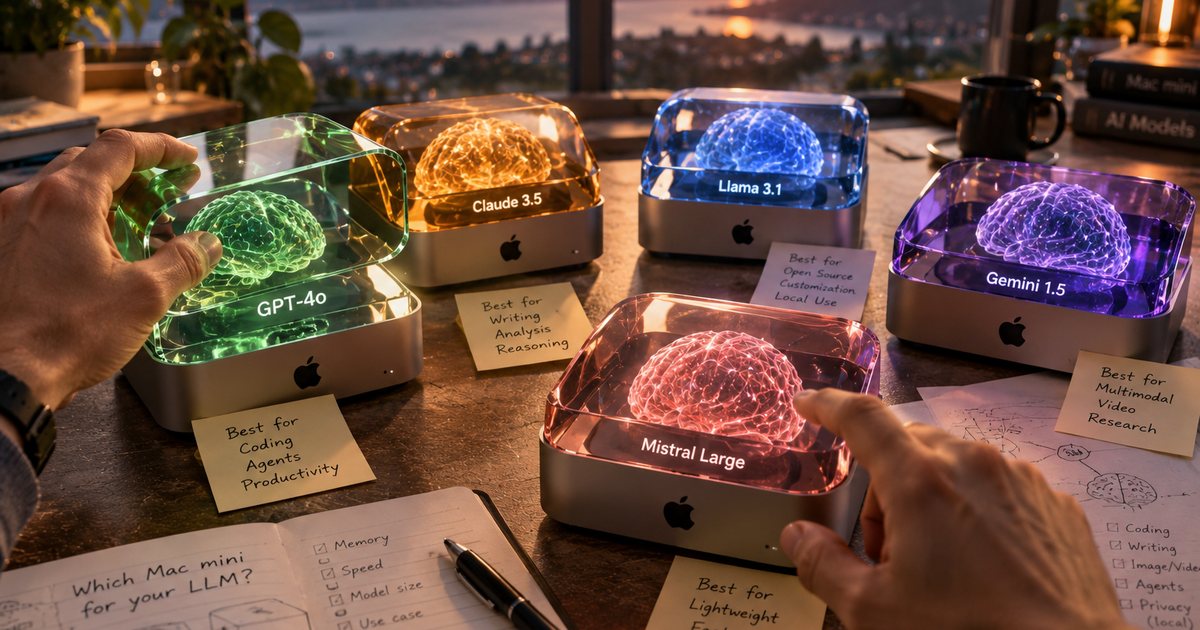
Short answer. A local LLM runs on a Mac mini when its model file, plus memory for the context, fits into the part of unified memory that macOS gives the GPU (about 75 % by default). In practice: a 16 GB Mac mini runs models up to about 12–14B parameters at 4-bit, such as Gemma 4 12B (about 11 GB); 24–32 GB runs the popular 20–35B models, such as gpt-oss 20B (about 16 GB, needs 24 GB) or Qwen3-Coder 30B (needs 32 GB); a 70B model needs the 64 GB Mac mini with an M4 Pro or M5 Pro, and even then it is tight. Pick a model below to see which cloud Mac offers can run it and what they cost.
Key facts
- Mac mini memory tops out at 32 GB with the M4 and M6 and at 64 GB with the M4 Pro and M5 Pro (Apple, Apple).
- Memory needed = model file + context cache + about 1 GB runtime; the file sizes come from Ollama, the context cache from each model's own configuration.
- Speed depends mostly on memory bandwidth: 307 GB/s (M5 Pro), 273 GB/s (M4 Pro), 170 GB/s (M6, 24/32 GB), 120 GB/s (M4), 100 GB/s (M2), per Apple.
- Mixture-of-experts models (gpt-oss, Qwen3-Coder 30B, Qwen 3.5 35B, Nemotron 3.5 Lightning) read only a few billion "active" parameters per token, so they run several times faster than dense models of the same size.
- Cheapest cloud Mac that runs gpt-oss 20B at our latest check: from €86 a month (Mac mini Vault, M2 24 GB).
- Catalog: 27 popular local language models in 58 sizes plus 19 models for images, video, speech, music and 3D, checked 2 November 2026; cloud Mac prices from our price tables.
Which cloud Mac mini can run your model?
Choose a task or a model, its size, the quantization and how much context you need. The calculator shows the memory needed, which Mac mini configurations can run it with an estimated speed, the cloud Mac offers from our price tables that fit (cheapest first, in euros per month), and the command to install it.
gpt-oss 20B (MoE, 3.6B active) by OpenAI
OpenAI's open-weight models, designed for reasoning, agentic tasks (function calling, web browsing, Python tool calls) and developer use cases. Shipped in one native 4-bit format.
- Tasks: Step-by-step reasoning, math and logic · AI agents that call tools and finish multi-step tasks · Programming help and coding agents
- Input: text · Max context: 128K · Licence: Apache 2.0
- Download: Ollama · Hugging Face (original)
ollama run gpt-oss:20bWhich cloud Mac mini runs it?
121 cloud Mac offers that can run it, cheapest first
| Provider | Mac | Where | Speed (est.) | Per month |
|---|---|---|---|---|
| Mac mini VaultM2 256GB | M2, 24 GB / 256 GBout of stock | Milwaukee, WI, US, Phoenix, AZ, USNorth America | ≈ 21–31 tok/s | €86 |
| UnihostMAC-C3 | M2, 24 GB / 256 GBout of stock | USANorth America | ≈ 21–31 tok/s | €104 |
| MacDuty | M2, 24 GB / 256 GBpre-order | RomaniaEurope | ≈ 21–31 tok/s | from €105 |
| Mac mini VaultM2 1TB | M2, 24 GB / 1 TBout of stock | Milwaukee, WI, US, Phoenix, AZ, USNorth America | ≈ 21–31 tok/s | €113 |
| OakHostMac M2.L | M2, 24 GB / 1 TBout of stock | Nuremberg, DE, Bamberg, DEEurope | ≈ 21–31 tok/s | €115 |
| My Remote Mac | M4, 24 GB / 512 GB | Nantes, FREurope | ≈ 25–37 tok/s | €117 |
| MacHiveMac mini M4 Pro | M4 Pro, 24 GB / 512 GB | United KingdomEurope | ≈ 57–85 tok/s | €118 |
| MacDuty | M4, 32 GB / 256 GB | RomaniaEurope | ≈ 25–37 tok/s | from €129 |
| UnifiedRackMac mini M6 (company facility, not a data centre) | M6, 32 GB / 256 GBout of stock | USANorth America | ≈ 35–53 tok/s | €135 |
| OakHostMac M4.M | M4, 32 GB / 1 TBout of stock | Nuremberg, DE, Bamberg, DEEurope | ≈ 25–37 tok/s | €135 |
| MacDuty | M6, 24 GB / 256 GBpre-order | RomaniaEurope | ≈ 35–53 tok/s | from €139 |
| Innova Hosting / iphost.onlineM4 24GB 512GB | M4, 24 GB / 512 GB | Chisinau, MDEurope | ≈ 25–37 tok/s | €146 |
| GreenMini | M4 Pro, 24 GB / 512 GB | NetherlandsEurope | ≈ 57–85 tok/s | from €149 |
| JUUZ Cloud | M4, 24 GB / 512 GBout of stock | Amsterdam, NLEurope | ≈ 25–37 tok/s | €149 |
| MacDuty | M6, 32 GB / 256 GBpre-order | RomaniaEurope | ≈ 35–53 tok/s | from €149 |
Not sure which model to pick? Best local LLM by task lists the models for coding, AI agents, documents, translation and RAG, and What LLM can a Mac mini run? starts from the Mac.
"Fits" means the model fits into the default GPU share of memory. "Tight" means it fits only after you raise the GPU memory limit (see below), leaving about 6 GB for macOS. Prices marked "~" are calculated from another billing period; "from" means the provider lists a starting price.
How much memory does a local LLM need on a Mac mini?
Every model and size in our catalog, at 4-bit (Q4) where Ollama offers it, with a 32K-token context: the memory it needs, the smallest Mac mini that runs it, and the cheapest cloud Mac with at least that much memory in our price tables.
| Model | Memory needed | Smallest Mac mini | Cheapest cloud Mac with that memory |
|---|---|---|---|
| Gemma 4 E2BGoogle DeepMind | 5.8 GB | 16 GB | from €74GreenMini, M4 16 GB |
| Gemma 4 E4BGoogle DeepMind | 8.1 GB | 16 GB | from €74GreenMini, M4 16 GB |
| Gemma 4 12BGoogle DeepMind | 11 GB | 16 GB | from €74GreenMini, M4 16 GB |
| Gemma 4 26B (MoE, 4B active)Google DeepMind | 21 GB | 32 GB | from €129MacDuty, M4 32 GB |
| Gemma 4 31BGoogle DeepMind | 27 GB | 48 GB | from €225MacDuty, M5 Pro 48 GB |
| Bonsai 2 9B (ternary)Prism ML · native build | 5.2 GB | 16 GB | from €74GreenMini, M4 16 GB |
| Bonsai 2 27B (ternary)Prism ML · native build | 11 GB | 16 GB | from €74GreenMini, M4 16 GB |
| Qwen 3.5 0.8BAlibaba (Qwen) · native build | 2.7 GB | 16 GB | from €74GreenMini, M4 16 GB |
| Qwen 3.5 2BAlibaba (Qwen) | 3.3 GB | 16 GB | from €74GreenMini, M4 16 GB |
| Qwen 3.5 4BAlibaba (Qwen) | 5.3 GB | 16 GB | from €74GreenMini, M4 16 GB |
| Qwen 3.5 9BAlibaba (Qwen) | 8.6 GB | 16 GB | from €74GreenMini, M4 16 GB |
| Qwen 3.5 27BAlibaba (Qwen) | 20 GB | 32 GB | from €129MacDuty, M4 32 GB |
| Qwen 3.5 35B (MoE, 3B active)Alibaba (Qwen) | 24 GB | 32 GB | from €129MacDuty, M4 32 GB |
| Qwen 3.5 122B (MoE, 10B active)Alibaba (Qwen) | 83 GB | Does not fit any Mac mini (max 64 GB) | – |
| Qwen 3.8 27BAlibaba (Qwen) | 21 GB | 32 GB | from €129MacDuty, M4 32 GB |
| Qwen 3.6 27BAlibaba (Qwen) | 20 GB | 32 GB | from €129MacDuty, M4 32 GB |
| Qwen 3.6 35B (MoE, 3B active)Alibaba (Qwen) | 26 GB | 48 GB | from €225MacDuty, M5 Pro 48 GB |
| Llama 3.1 8BMeta | 10 GB | 16 GB | from €74GreenMini, M4 16 GB |
| Llama 3.3 70BMeta | 54 GB | 64 GBtight: only with the GPU memory limit raised | from €226Bohemian Silicon, M5 Pro 64 GB |
| Llama 3.2 1BMeta | 2.9 GB | 16 GB | from €74GreenMini, M4 16 GB |
| Llama 3.2 3BMeta | 6.7 GB | 16 GB | from €74GreenMini, M4 16 GB |
| Mistral Small 3.2 24BMistral AI | 21 GB | 32 GB | from €129MacDuty, M4 32 GB |
| Granite 4.2 3BIBM | 5.8 GB | 16 GB | from €74GreenMini, M4 16 GB |
| Granite 4.2 8BIBM | 12 GB | 16 GB | from €74GreenMini, M4 16 GB |
| Granite 4.2 30BIBM | 27 GB | 48 GB | from €225MacDuty, M5 Pro 48 GB |
| gpt-oss 20B (MoE, 3.6B active)OpenAI · native build | 16 GB | 24 GB | from €86Mac mini Vault, M2 24 GB |
| gpt-oss 120B (MoE, 5.1B active)OpenAI · native build | 67 GB | Does not fit any Mac mini (max 64 GB) | – |
| DeepSeek-R1 (distilled) 1.5BDeepSeek | 3.0 GB | 16 GB | from €74GreenMini, M4 16 GB |
| DeepSeek-R1 (distilled) 7BDeepSeek | 7.5 GB | 16 GB | from €74GreenMini, M4 16 GB |
| DeepSeek-R1 (distilled) 8B (0528)DeepSeek | 11 GB | 16 GB | from €74GreenMini, M4 16 GB |
| DeepSeek-R1 (distilled) 14BDeepSeek | 16 GB | 24 GB | from €86Mac mini Vault, M2 24 GB |
| DeepSeek-R1 (distilled) 32BDeepSeek | 29 GB | 48 GB | from €225MacDuty, M5 Pro 48 GB |
| DeepSeek-R1 (distilled) 70BDeepSeek | 54 GB | 64 GBtight: only with the GPU memory limit raised | from €226Bohemian Silicon, M5 Pro 64 GB |
| Phi-4 14BMicrosoft | 13 GB | 24 GB | from €86Mac mini Vault, M2 24 GB |
| Muse Glimmer 30BMeta | 20 GB | 32 GB | from €129MacDuty, M4 32 GB |
| Nemotron 3.5 Lightning 30B (MoE, 3B active)NVIDIA | 28 GB | 48 GB | from €225MacDuty, M5 Pro 48 GB |
| Nemotron 3.5 Bolt E4BNVIDIA | 9.4 GB | 16 GB | from €74GreenMini, M4 16 GB |
| LFM3 1.7BLiquid AI | 2.5 GB | 16 GB | from €74GreenMini, M4 16 GB |
| Qwen3-Coder 30B (MoE, 3.3B active)Alibaba (Qwen) | 23 GB | 32 GB | from €129MacDuty, M4 32 GB |
| Devstral Small 2 24BMistral AI | 21 GB | 32 GB | from €129MacDuty, M4 32 GB |
| Ornith 1.5 9BOrnith AI · native build | 8.6 GB | 16 GB | from €74GreenMini, M4 16 GB |
| Ornith 1.5 35B (MoE, 3B active)Ornith AI · native build | 25 GB | 48 GB | from €225MacDuty, M5 Pro 48 GB |
| Flint 40B (MoE, 2.5B active)Recursive | 25 GB | 48 GB | from €225MacDuty, M5 Pro 48 GB |
| North Mini Code 1.0 30B (MoE, 3B active)Cohere | 21 GB | 32 GB | from €129MacDuty, M4 32 GB |
| Qwen3-VL 2BAlibaba (Qwen) | 6.6 GB | 16 GB | from €74GreenMini, M4 16 GB |
| Qwen3-VL 4BAlibaba (Qwen) | 9.0 GB | 16 GB | from €74GreenMini, M4 16 GB |
| Qwen3-VL 8BAlibaba (Qwen) | 12 GB | 16 GB | from €74GreenMini, M4 16 GB |
| Qwen3-VL 30B (MoE, 3B active)Alibaba (Qwen) | 24 GB | 48 GB | from €225MacDuty, M5 Pro 48 GB |
| Qwen3-VL 32BAlibaba (Qwen) · native build | 30 GB | 48 GB | from €225MacDuty, M5 Pro 48 GB |
| GLM-OCR 1.3BZ.ai · native build | 5.8 GB | 16 GB | from €74GreenMini, M4 16 GB |
| TranslateGemma 4BGoogle | 5.1 GB | 16 GB | from €74GreenMini, M4 16 GB |
| TranslateGemma 12BGoogle | 12 GB | 16 GB | from €74GreenMini, M4 16 GB |
| TranslateGemma 27BGoogle | 21 GB | 32 GB | from €129MacDuty, M4 32 GB |
| Gemma 3n E2BGoogle | 9.2 GB | 16 GB | from €74GreenMini, M4 16 GB |
| Gemma 3n E4BGoogle | 11 GB | 16 GB | from €74GreenMini, M4 16 GB |
| Qwen3 Embedding 0.6BAlibaba (Qwen) · native build | 5.3 GB | 16 GB | from €74GreenMini, M4 16 GB |
| Qwen3 Embedding 4BAlibaba (Qwen) | 8.2 GB | 16 GB | from €74GreenMini, M4 16 GB |
| Qwen3 Embedding 8BAlibaba (Qwen) | 10 GB | 16 GB | from €74GreenMini, M4 16 GB |
| FLUX.1 [dev] 11.9BBlack Forest Labs · Image generation | from 24 GB Macreported | 24 GB | from €86Mac mini Vault, M2 24 GB |
| FLUX.2 [klein] 3.9BBlack Forest Labs · Image generation | from 16 GB Macreported | 16 GB | from €74GreenMini, M4 16 GB |
| Qwen-Image 2.1 7.1BAlibaba (Qwen) · Image generation | from 24 GB Macreported | 24 GB | from €86Mac mini Vault, M2 24 GB |
| Z-Image-Turbo 6.2BAlibaba (Tongyi-MAI) · Image generation | from 16 GB Macreported | 16 GB | from €74GreenMini, M4 16 GB |
| Krea 2 Turbo 12.8BKrea · Image generation | from 16 GB Macreported | 16 GB | from €74GreenMini, M4 16 GB |
| Stable Diffusion XL 2.6BStability AI · Image generation | from 16 GB Macreported | 16 GB | from €74GreenMini, M4 16 GB |
| MiniMax H3 33.1BMiniMax · Video generation | from 16 GB Macreported | 16 GB | from €74GreenMini, M4 16 GB |
| LTX-2.5 22BLightricks · Video generation | from 16 GB Macreported | 16 GB | from €74GreenMini, M4 16 GB |
| Wan 2.2 (14B) 14.3BAlibaba (Wan) · Video generation | from 64 GB Macreported | 64 GB | from €226Bohemian Silicon, M5 Pro 64 GB |
| Whisper large-v3-turbo 809MOpenAI · Speech to text | from 16 GB Macreported | 16 GB | from €74GreenMini, M4 16 GB |
| Parakeet TDT 0.6B v3 627MNVIDIA · Speech to text | from 16 GB Macreported | 16 GB | from €74GreenMini, M4 16 GB |
| Qwen3-ASR 2.3BAlibaba (Qwen) · Speech to text | from 16 GB Macreported | 16 GB | from €74GreenMini, M4 16 GB |
| Kokoro-82Mhexgrad · Text to speech | from 16 GB Macreported | 16 GB | from €74GreenMini, M4 16 GB |
| Qwen3-TTS 1.9BAlibaba (Qwen) · Text to speech | from 16 GB Macreported | 16 GB | from €74GreenMini, M4 16 GB |
| Chatterbox 0.5BResemble AI · Text to speech | from 16 GB Macreported | 16 GB | from €74GreenMini, M4 16 GB |
| Phonon 41MGradium · Text to speech | from 16 GB Macreported | 16 GB | from €74GreenMini, M4 16 GB |
| ACE-Step 1.5 2B+ACE Studio / StepFun · Music | from 24 GB Macreported | 24 GB | from €86Mac mini Vault, M2 24 GB |
| TRELLIS.2 4BMicrosoft · 3D models | from 24 GB Macreported | 24 GB | from €86Mac mini Vault, M2 24 GB |
| Hunyuan3D 2.1 3.3BTencent · 3D models | from 24 GB Macreported | 24 GB | from €86Mac mini Vault, M2 24 GB |
A few things stand out. Small models (1–4B) fit in any Mac mini, but the context cache can be bigger than the model itself: Llama 3.2 3B needs more memory for a 32K conversation than for its weights. Mixture-of-experts models need memory for all their parameters but run fast. And the largest open models do not fit any Mac mini: gpt-oss 120B and Qwen 3.5 122B need more than 64 GB even at 4-bit, while 70B models (Llama 3.3, DeepSeek-R1 70B) fit the 64 GB Mac mini only tightly.
How do we calculate memory and speed?
We publish the formula so you can check it.
- Model file. The real download size of the chosen build on Ollama (for example
gpt-oss:20b,qwen3-coder:30b-a3b-q4_K_M). For Ollama's default tag we use the upper end of its size range, because on Apple silicon Ollama can serve a larger MLX build. - Context cache. For every token of context, a model keeps keys and values for each attention layer: 2 × key-value heads × head size × 2 bytes per layer. We read the layers and heads from the model's own
config.jsonon Hugging Face. Layers with a sliding window only count up to their window, and linear-attention layers (Qwen 3.5 and 3.8) keep a small fixed state, so these models need far less memory for long contexts. - Runtime. About 1 GB for buffers.
- What the Mac can give. macOS lets the GPU use only part of unified memory by default. Apple does not publish the share; community measurements put it near 75 %, which we use. It can be raised with
sudo sysctl iogpu.wired_limit_mb=<megabytes>(resets at restart); we then keep 6 GB for macOS. - Speed. Each new token reads all active weights once, so the upper bound is memory bandwidth ÷ size of the active weights. We show 50–75 % of that bound as the estimate. For mixture-of-experts models we use the active size the developer states; where it is not stated, we show no speed.
Image, video, speech, music and 3D models work differently: generating an image or a video is limited by the GPU's compute rather than memory bandwidth, so the formula above does not apply. For these models the calculator shows the smallest Mac memory that the developer or users report as working, how the model runs on a Mac (supported by the developer, through a Mac app such as Draw Things, or only through a community port), and the speeds people measured on Macs, each with a link. Models grouped by these tasks are in Best local AI model by task.
The catalog is rebuilt from Ollama and Hugging Face whenever we update it, and checked monthly: new models are added, and models with a known macOS problem are left out (Laguna XS 2.1 is out for now: its Ollama page reports an issue on macOS).
Mac mini LLM performance: how fast each model runs
Speed scales with memory bandwidth, which Apple lists for each chip:
| Chip | Memory options | Memory bandwidth | Source |
|---|---|---|---|
| M5 Pro | 24, 48 or 64 GB | 307 GB/s | Apple |
| M4 Pro | 24, 48 or 64 GB | 273 GB/s | Apple |
| M6 | 16, 24 or 32 GB | 153 GB/s (16 GB), 170 GB/s (24/32 GB) | Apple |
| M2 Pro | 16 or 32 GB | 200 GB/s | Apple |
| M4 | 16, 24 or 32 GB | 120 GB/s | Apple |
| M2 | 8, 16 or 24 GB | 100 GB/s | Apple |
Apple does not list a bandwidth figure on the M1 Mac mini's spec page, so the calculator shows whether a model fits an M1 but no speed. Intel Mac minis run Ollama on the CPU only (Ollama) and are left out.
The difference between dense and mixture-of-experts models matters more than the chip. On the same M4 Pro, a dense 27B model at 4-bit reads about 17 GB per token, while Qwen3-Coder 30B reads only its 3.3B active parameters, a few gigabytes, so it answers several times faster.
How do you install a local LLM on a cloud Mac?
- Connect to the cloud Mac. Providers give SSH access, screen sharing (VNC) or both; the calculator's offer list links to each provider's page.
- Install Ollama. In the Terminal:
curl -fsSL https://ollama.com/install.sh | sh, or download the installer from ollama.com. Ollama needs macOS Sonoma (14) or newer and uses both the CPU and the GPU on Apple silicon (Ollama). - Run the model. Copy the command from the calculator, for example
ollama run gpt-oss:20b. The first run downloads the model file; after that it starts in seconds. - If the calculator says "tight". Raise the GPU memory limit before loading the model, for example
sudo sysctl iogpu.wired_limit_mb=58000on a 64 GB Mac mini. The setting resets when the Mac restarts.
Every model in the calculator links to its Ollama page and to the original release on Hugging Face, where you also find the licence: most are Apache 2.0 or MIT; Llama models use Meta's community licence and Gemma 3-based models Google's Gemma terms.
Rent or buy a Mac mini for local AI?
A cloud Mac lets you try a model on the exact chip and memory before buying, or run it around the clock without a machine at home. For agents such as OpenClaw, read Mac mini for OpenClaw and AI agents: rent, buy or VPS?; for 48 and 64 GB plans, Rent a Mac mini M4 Pro or M5 Pro in the cloud; and for every plan we track, the price tables for Europe, North America and Asia and Australia.
Frequently asked questions
How much memory does a local LLM need on a Mac mini?
Roughly the size of the model file plus memory for the conversation (the context) plus about 1 GB for the runtime. A 4-bit (Q4) model needs a little more than half a gigabyte per billion parameters for its file. Because macOS lets the GPU use only part of the unified memory by default (about 75 % by community measurements; Apple does not publish a figure), a Mac mini with 16 GB comfortably runs models that need up to about 12 GB.
Can a Mac mini run a 70B model like Llama 3.3 70B?
Only the 64 GB Mac mini (M4 Pro or M5 Pro), and only tightly: the 4-bit build of Llama 3.3 70B is a 43 GB file on Ollama, and with a 32K context it needs more than the default GPU share of 64 GB, so you have to raise the GPU memory limit. Expect a few tokens per second. Mixture-of-experts models such as gpt-oss 20B or Qwen3-Coder 30B run much faster on the same Mac.
Which Mac mini is fastest for local LLMs?
The one with the highest memory bandwidth, because generating text reads the model's weights for every token. Apple lists 307 GB/s for the M5 Pro, 273 GB/s for the M4 Pro, 170 GB/s for the M6 with 24 or 32 GB, 120 GB/s for the M4 and 100 GB/s for the M2. A Pro chip is also the only way to get more than 32 GB of memory on a Mac mini.
How do I install a local LLM on a cloud Mac?
Connect to the cloud Mac (SSH or screen sharing, depending on the provider), install Ollama with `curl -fsSL https://ollama.com/install.sh | sh` or the installer from ollama.com, then run the model with one command, for example `ollama run gpt-oss:20b`. Ollama needs macOS Sonoma (14) or newer and uses the GPU on Apple silicon.
Is the speed in the calculator measured?
No. It is an estimate from Apple's memory bandwidth for each chip and the size of the model's active weights, taken as 50 to 75 % of the theoretical maximum. Real speed depends on the model, the runtime version, the context length and what else runs on the Mac.